Features Pricing Support Web Portal Get the App
Features

The whole business,
in your pocket.

Everything a small trade crew needs to run the day — and an AI office keeping an eye on all of it.

Office AI

An AI office that actually knows your business.

Office isn't a chatbot bolted on the side. It reads your live schedule, timecards, jobs, and documents — and briefs you before you ask.

Ask anything

Ask it like you'd ask your office manager.

Plain-English questions, live answers from your actual data — hours worked, active jobs, who's clocked in, what's in the Vault. No dashboards to dig through.

Who hasn't clocked out yet?
What jobs are active right now?
How many hours did Marcus log this week?
Find the countertop spec in the Vault
Office
Responding
Who hasn't clocked out yet?
Jake and Carlos are still clocked in — Jake at Anderson Kitchen (7h 22m), Carlos at Westside (5h 48m).
How many hours total today?
Your crew has logged 24h 16m across 3 jobs today.
Ask about your team or schedule...
🌅

Morning & end-of-day briefings

Start the day knowing who's scheduled where and what's on deck. End it with what actually happened — hours logged, jobs touched, anything that looks off.

🎯

Focused work modes

Office switches into the mode for the job at hand — scheduling, documents, crew questions — so answers stay sharp instead of generic.

🔎

Live business data

Every answer is pulled from your real schedule, timecards, jobs, and files at the moment you ask — not canned responses.

Day to day

The tools you'll touch every single day.

Time Tracking

One tap in. One tap out. Payroll's done.

Your crew clocks in from their phone and every hour lands on the right job automatically. No paper, no texts, no Friday reconstruction project.

  • One-tap punch clock tied to specific jobs
  • Shop time and site time, tracked as different things
  • Timecards export to Excel, CSV, or PDF for payroll
  • See who's on the clock right now, from anywhere
Tether Today screen with punch clock
Schedule

A live view of who's on what.

A week and month view of your crew's assignments — spot gaps, move work around, and let everyone see their own schedule instead of asking you.

  • Week and month views of the whole crew
  • Assign jobs and tasks right from the calendar
  • Subscribe from Google Calendar, Apple Calendar, or Outlook
  • Crew sees their day in the app — no more "where am I going?"
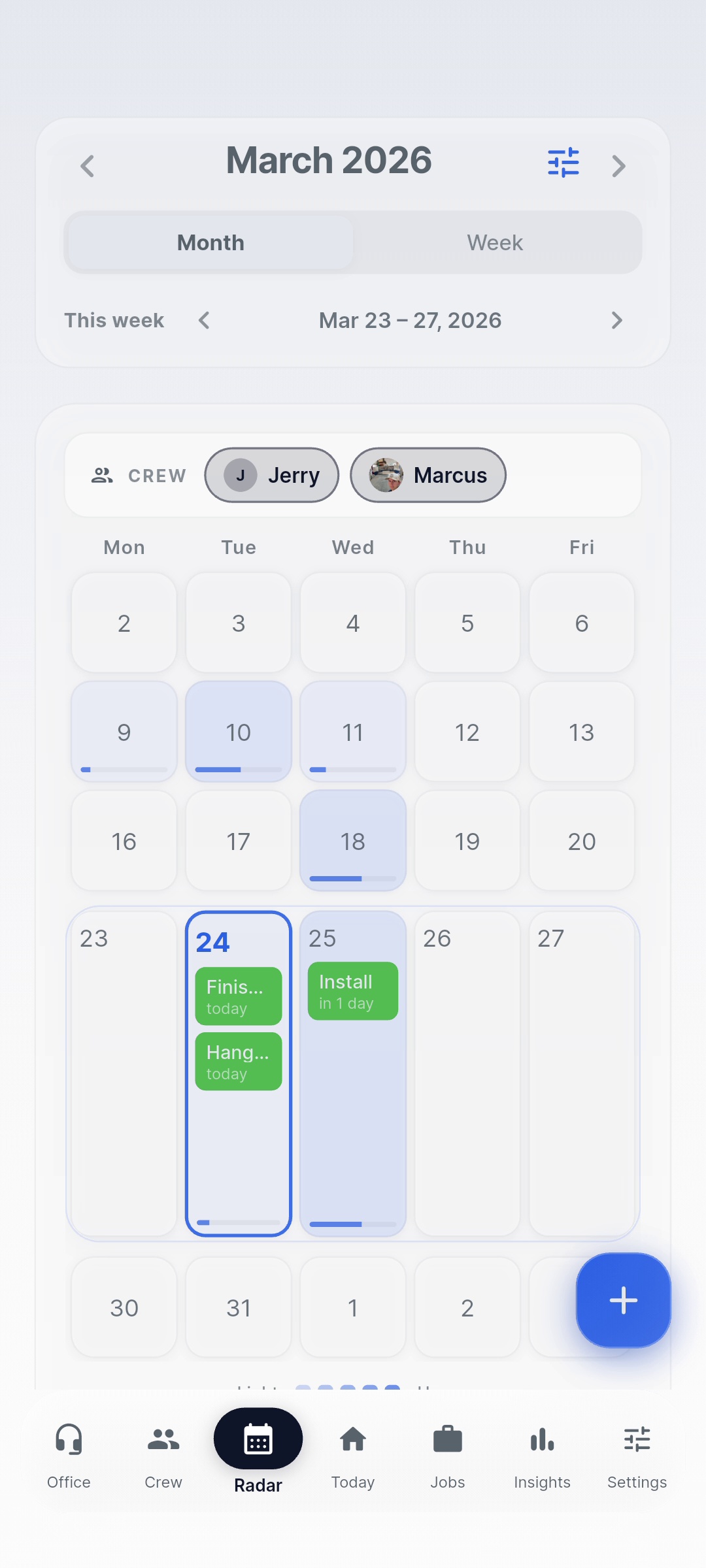
Tether Schedule month view
Document Vault

Every spec, photo, and paper — findable.

The Vault files your documents by job and customer, and it's searchable down to the text inside your files. The countertop spec from March? Two seconds.

  • Filed by job and customer, not a junk drawer
  • Full-text search — including text inside documents
  • Job photos live with the job they belong to
  • Office AI can find and pull from Vault files for you
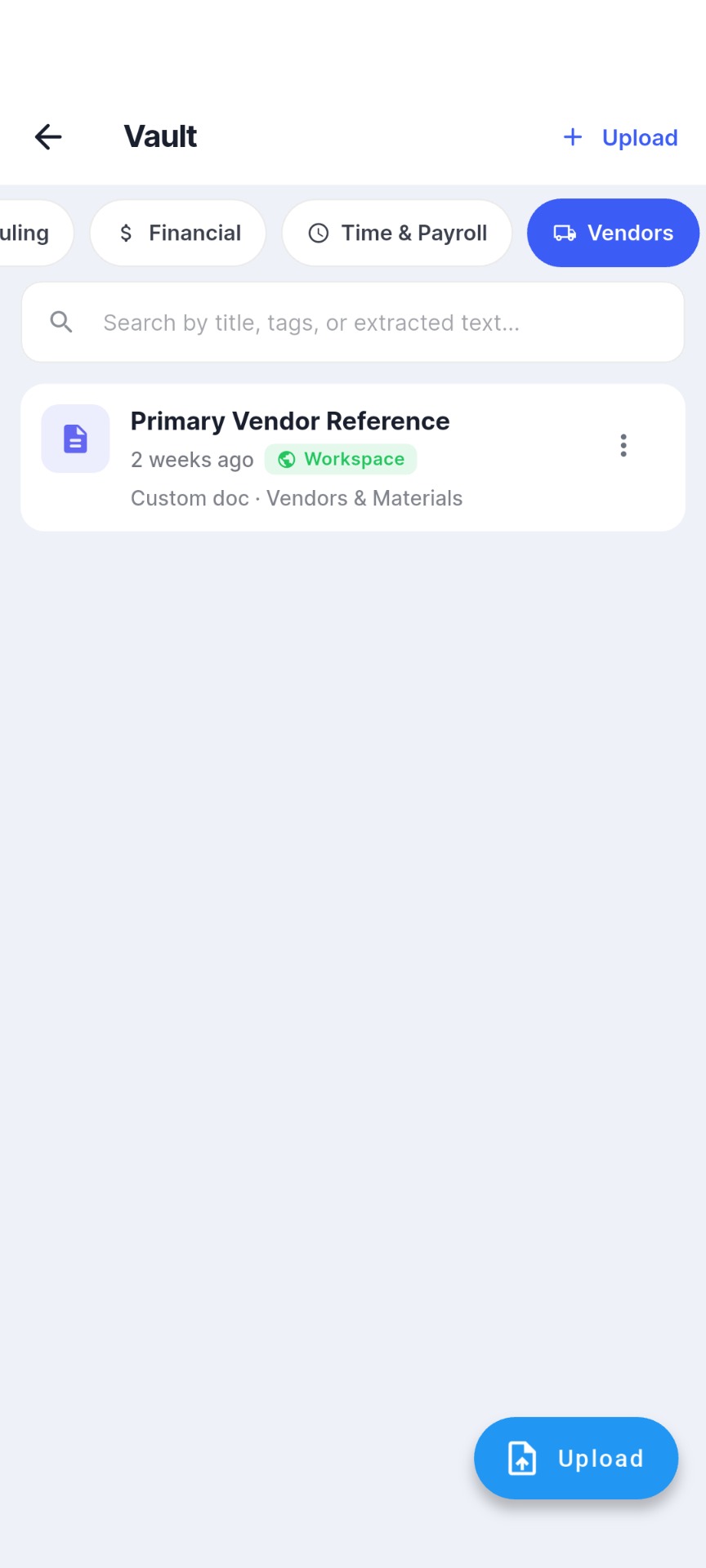
Tether Document Vault
The rest of the toolkit

Built out. Not bolted on.

👷

Crew Management

Invite your crew, set roles, and manage who sees what. Employees get the free app; you keep the controls.

📋

Jobs & Templates

Build jobs with tasks and crew, or start from a template for the work you do again and again.

📥

The Queue

An open pool of work waiting for hands. Drag a task onto a crew member and it's assigned — done.

📌

The Board

The shared surface for loose ends — notes, questions, reminders — that used to get lost in the group text.

📅

Calendar Sync

Your Tether schedule shows up in Google Calendar, Apple Calendar, or Outlook automatically.

🔔

Notifications & Widgets

Assignment alerts, schedule changes, and home-screen widgets that show the day at a glance.

See it with your own crew.

Every plan starts with a 90-day free trial — full access, no credit card. If it doesn't stick, you've lost nothing.

90-day free trial · No credit card required